
Installation
- Import
sql/install.sqlinto your database — this script runs on oxmysql and needs it to save progress/statistics. - Copy this resource folder into your server's
resourcesfolder and addensure sz-zonerewardsto yourserver.cfg, afteroxmysql. - Open
config.jsonand set your framework (esx/qbcore/qbox/standalone), inventory and garage system — also changeable from the System tab. - Add your own steam/license/discord identifier to the
adminslist — otherwise nobody can open the panel. - Start your server and verify the panel opens by typing
/szonein-game. - Create at least one zone (Zones tab → New Zone → Pick Location) and give it some rewards — without one, players can't earn anything.
⚠️ Heads up: without at least one zone and one reward, players can't earn anything — even if the rest of setup is technically done.
Installation Checklist:
- Imported
sql/install.sql? ensure sz-zonerewardscomes afteroxmysqlinserver.cfg?- Added your own identifier to
admins? - Framework/inventory/garage selection correct?
- Created at least one zone with rewards?
/szonecommand works?
Configuration
This script is sold encrypted (escrowed) — but everything is still fully configurable, either from config.json or straight from the System tab in the NUI. Panel changes apply instantly, no restart needed.
- Framework / inventory / garage — pick your setup (ESX/QBCore/QBox/Standalone) so rewards deliver correctly.
- Auto-claim — optionally deliver a ready reward automatically instead of waiting for the player to press "Claim".
- Admins — who can open the panel.
- AFK Control — kicks (or just pauses progress for) players standing still inside a zone too long; can also be set per individual zone.
- Anti-Cheat — instantly drops obvious cheaters (client tampering, forged requests), and silently rate-limits every action so bot/spam behavior gets rejected without ever affecting real players.
- Discord Logs — optional webhook channels for security events, admin actions, reward deliveries, and system messages — fully independent, nothing sent unless you turn it on.
- Boosts & Rotation — temporarily double/triple zone speed or reward amounts, or auto-rotate the bonus between zones on a timer you set.
Gameplay
Everything is managed from the in-game NUI panel (/szone) — you never touch a code file.
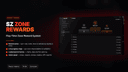
- Player Menu — reward cards with progress bars, History, Leaderboard, and Settings.
- Zones — create zones by picking a live location on the map, each with its own radius, speed and reward list.
- Rewards — build the global reward pool or a zone's own list (cash + bank + item + vehicle, with a live preview).
- Players — see who's in which zone right now, their full history, adjust their progress, or force-complete a reward.
- Quick Actions — temporary 2x/3x boosts, or automatic zone rotation for the bonus.
- Statistics — server-wide and per-player graphs, most-used zones, filterable history.
- Admins / System — panel access and all core settings live here.
F.A.Q
⚠️ Heads up: put custom reward images in the server'suploads/folder — nothtml, which gets wiped on every update and takes your images with it. Just type the filename into the reward's settings.
- If the admins list is empty, nobody (aside from the console) can access the panel.
- Without at least one zone and one reward, players can't earn anything.
- Language and theme are personal — saved per player in their own browser.
- Sound may start muted until the player's first click, due to browser autoplay restrictions — this is normal.